Wraystech AcademyLoading page
Wraystech Academy
Job-ready learning
Basic

Generative AI.

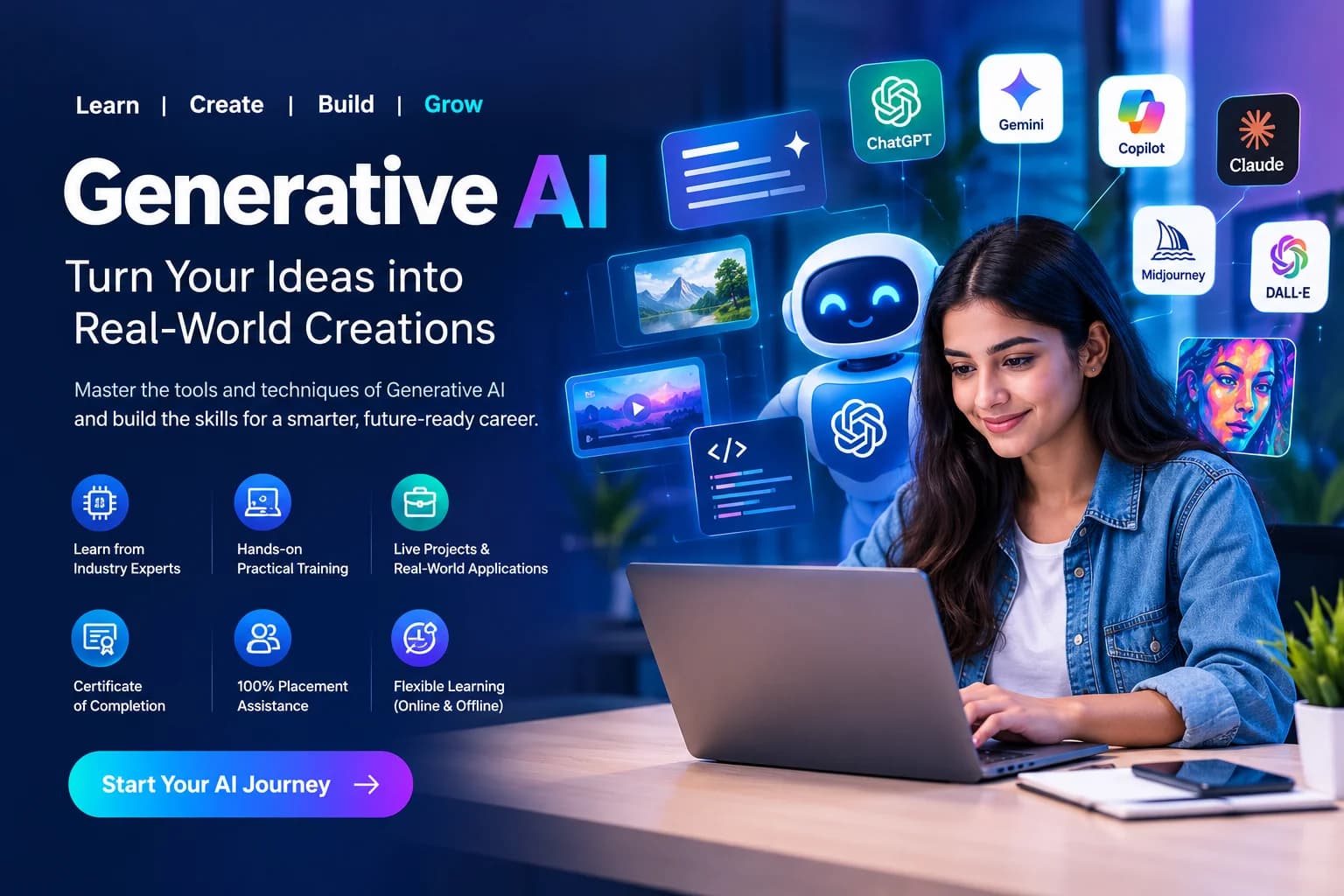
Cover LLMs, embeddings, RAG concepts, AI APIs, and development of Generative AI applications.

Learner rating

4.9/5

Course duration

3 Months

Learning modules

10 modules

Learning mode

Offline

1,220+ learners enrolledIndustry-recognized certificate
Explore Curriculum

Start learning.

Join 40M+ learners who transformed their careers.

By continuing, you agree to our Terms and Privacy Policy. We'll send important updates on WhatsApp.

1,220+ learners already enrolled

Your next step

Program overview

Generative AI program overview

Generative AI is a 4 Months Artificial Intelligence program built around hands-on practice, guided assignments, interview preparation, and placement support. Start with LLMs, practise with ChatGPT, OpenAI APIs, LangChain, and connect your learning through applied business scenarios. Build a portfolio that explains your approach and prepare for roles such as Generative AI Specialist and AI Automation Consultant.

3 Months structured training program

Who Should Join • Fresh graduates from any stream who want a future-ready career in AI • Professionals with 1–2 years of experience in sales, finance, HR, marketing, operations, healthcare or education who want to upskill • Career switchers with no IT or programming background • Entrepreneurs and freelancers who want to use AI to grow their business

Prerequisites Basic requirements • Laptop or computer (8 GB RAM recommended) • Stable internet connection • Basic English reading and understanding • A Google account (it will be set up in Week 1 if you do not have one)

Learning Outcomes By the end of the program, learners will be able to: 1. Explain AI, Machine Learning, Deep Learning and Generative AI in simple business language. 2. Write effective prompts to get reliable, high-quality outputs from ChatGPT, Gemini, Claude and similar tools. 3. Write basic Python programs and call AI models through APIs. 4. Build chatbots, document Q&A systems (RAG) and AI agents. 5. Create AI-generated images, content and automated workflows without heavy coding. 6. Build and deploy a simple AI web application using Streamlit. 7. Apply AI to real use cases in finance, healthcare, sales, marketing and HR. 8. Present a project portfolio and face AI-related job interviews with confidence.

A structured learning journey

Generative AI Curriculum

Explore the curriculum, build your understanding one module at a time, and put each new skill into practice.

01Digital and Computer FoundationsModule 1 · 3 topics
  • Purpose: give every learner, especially those with no computer background, a confident starting point. • Computer essentials: files, folders, installing software, keyboard shortcuts • Using browsers, search, Google Drive, Gmail and Google Docs • Cloud tools: creating and using Google Colab (no installation needed) • Excel/Sheets basics: rows, columns, simple formulas, sorting, filtering • Data literacy: what data is, structured vs unstructured data • Logical thinking: step-by-step problem solving, flowcharts and pseudo-code • Internet safety, passwords and data privacy basics
  • Hands-on: Set up all accounts, organize a Drive workspace, build a simple Excel data sheet.
  • Output: Fully set-up learning environment and a working data sheet.
02AI FundamentalsModule 2 · 3 topics
  • • What is AI, Machine Learning and Deep Learning, with real-life analogies • What is Generative AI and how it differs from traditional AI • How tools such as ChatGPT, Gemini and Claude work (concept level, no math) • Real-world use cases: Healthcare, Finance, Marketing, HR, Education • Strengths, limits and risks: hallucinations, bias, privacy • Responsible and ethical AI use • Prompt basics: your first conversation with AI
  • Hands-on: Run the same task on ChatGPT, Gemini and Claude and compare the results.
  • Output: First AI interactions and a comparison sheet of AI tools.
03Prompt Engineering (Core Skill)Module 3 · 3 topics
  • • Anatomy of a good prompt: role, task, context, format, constraints • Zero-shot and few-shot prompting • Role-based prompting • Chain-of-Thought prompting • Prompt optimization, iteration and prompt templates • Building a personal prompt library
  • Hands-on: Resume and cover letter generation, email drafting and automation, content writing, meeting summaries, Excel formula help using AI.
  • Output: A personal prompt library of at least 25 tested prompts.
04Python Foundations (from Scratch)Module 4 · 3 topics
  • • What is programming and why Python • Variables, data types, input and output • Conditions (if/else) and loops • Lists, dictionaries and functions • Reading and writing files (text and CSV) • Using AI as a coding assistant to write, explain and debug code • Introduction to Pandas for simple data handling
  • Hands-on: Expense calculator, student marks analyzer, CSV data summary in Google Colab.
  • Output: 3 small Python programs completed with AI-assisted debugging.
05APIs and Python for AIModule 5 · 3 topics
  • What is an API, with a restaurant analogy • JSON data format and API keys (safe handling) • How AI tools connect through APIs • Using the OpenAI API (or equivalent LLM API) with Python • System prompts, parameters (temperature, tokens) and cost awareness • Building a simple chatbot with conversation memory
  • Hands-on: Call an AI API from Python and build a command-line chatbot.
  • Output: Working AI chatbot.
06Week 6: Generative AI Tools Ecosystem and No-Code AutomationModule 6 · 3 topics
  • • Text-to-image and image-to-text: DALL·E, Midjourney, Gemini image tools • Video and voice tools: Runway ML, AI voice and avatar tools • AI for presentations, documents and spreadsheets • Intro to automation tools: Zapier and n8n • Building trigger → action workflows (e.g., form → AI reply → email)
  • Hands-on: Create branded images and a month of social media content; build one automated email or lead-response workflow.
  • Output: Social media content kit and a working automation.
07LLM Concepts, Embeddings and Vector DatabasesModule 7 · 3 topics
  • • What is an LLM: tokens, context window, training vs fine-tuning (concept level) • Embeddings explained simply • Vector databases: FAISS or ChromaDB (any one) • Retrieval-Augmented Generation (RAG) architecture • Chunking documents and improving answer accuracy
  • Hands-on: Build a Document Q&A system that answers questions from a PDF.
  • Output: Working RAG-based document assistant.
08LangChain and AI AgentsModule 8 · 3 topics
  • • What is LangChain and why it is used • Chains, Memory and Tools • What is an AI agent; agent vs chatbot • Tool use: web search, calculator and file tools • Basics of agent planning and safe agent design
  • Hands-on: Build an AI agent that uses search and calculator tools to solve multi-step tasks.
  • Output: Working tool-using AI agent.
09App Development, UI and DeploymentModule 9 · 3 topics
  • • Streamlit basics: inputs, buttons, layouts, file upload • Connecting AI logic to a user interface • Managing secrets and API keys • Deployment basics: Streamlit Community Cloud and GitHub • Testing, error handling and basic cost control
  • Hands-on: Deploy a Chatbot Web App or AI Content Generator App online.
  • Output: Live AI application with a public link.
10Capstone Project, Industry Use Cases and Career ReadinessModule 10 · 2 topics
  • • Industry use cases: Healthcare AI, Finance AI, Marketing automation, HR and Sales AI • Capstone build, review and presentation • Resume, LinkedIn and GitHub portfolio building • AI interview preparation: technical and scenario questions • Freelancing and AI consulting basics • Mock interviews and certificate evaluation
  • Final Output: 1 major capstone project, portfolio and presentation.

Find out how this curriculum fits your career goals.

Tools & technologies

Explore industry-relevant tools through hands-on learning to master practical, in-demand skills.

ChatGPT, Google Gemini, Claude etc.
Python, Google Colab, Pandas
OpenAI API, LangChain
FAISS or ChromaDB
DALL·E, Midjourney, Runway ML
Zapier, n8n
Streamlit, GitHub

Build practical skills with industry-relevant learning, expert guidance, and hands-on projects designed for modern teams.

Get the complete curriculum, tools, projects, and career support details in one brochure.

Build something that matters

6 Industry Projects

Every student completes 6 real-world projects — one per month — building a professional portfolio demonstrated during placement interviews.

Project 01

AI Chatbot with Memory

Purpose

Customer support, HR helpdesk, student assistant

Business Output

Lower support cost, 24x7 service, better customer experience
Project 02

AI Financial Advisor

Purpose

Personal finance apps, banking advisory, SME planning

Business Output

Better financial decisions, personalized advice

Project 03

AI Sales Report Generator

Purpose

Sales tracking, business reporting

Business Output

Saves reporting time, highlights growth opportunities

Project 04

Medical Assistant AI

Purpose

Hospital prescreening, telemedicine, patient support

Business Output

Reduces doctor workload, improves patient engagement

Project 05

Research Paper Summarizer

Purpose

Researchers, pharma companies, academic institutions

Business Output

Saves time, improves research productivity

Project 06

AI Content Creator

Purpose

Digital marketing, influencers, startup branding

Business Output

Lower content cost, faster marketing

Project 07

AI Video Generator

Purpose

YouTube, elearning, corporate training

Business Output

Lower production cost, fast video creation

Portfolio tip: document the problem, your approach, and the result so you can walk an interviewer through your decisions.
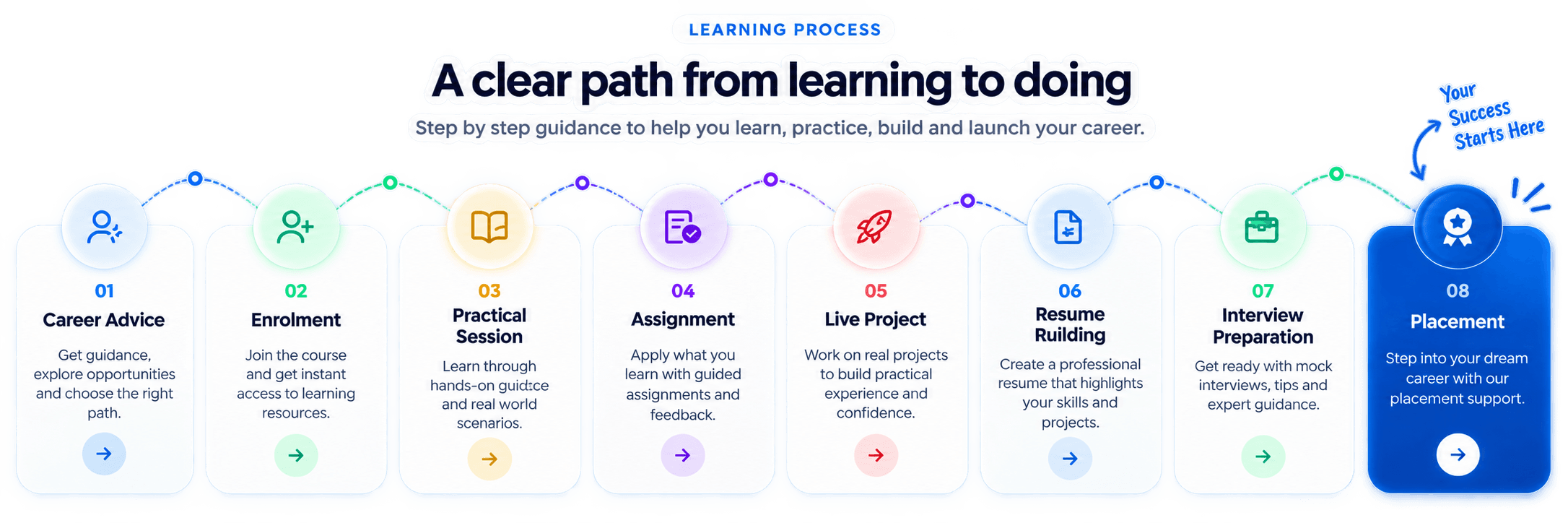
Learning process from career advice and enrolment through practical sessions, projects, interview preparation, and placement

Who should enroll

  • Developers and analysts entering GenAI
  • Working professionals upskilling for AI projects
  • Students targeting AI careers
  • Entrepreneurs building AI-enabled workflows

Learning modes

  • Classroom training at Thane center
  • Live online interactive sessions
  • Recorded sessions for missed classes
  • Free demo class before enrollment

Prerequisites

  • Basic digital literacy
  • Python knowledge is helpful but not mandatory
  • Own laptop for assignments

95% of our students successfully get placed after completing our programs.

Learn more about how we have been impacting thousands of careers.

  • Apply Generative AI skills to practical business scenarios
  • Use ChatGPT, OpenAI APIs, LangChain with confidence
  • Build project work that can be shown in interviews
  • Prepare for relevant certifications and job roles

Recognition that travels with you

Globally recognized certifications

Generative AI Certificate

Certification pathway

Stand out with proof of practical skills.

Build a credible portfolio of skills with structured preparation, practical projects, and certification guidance from experienced mentors.
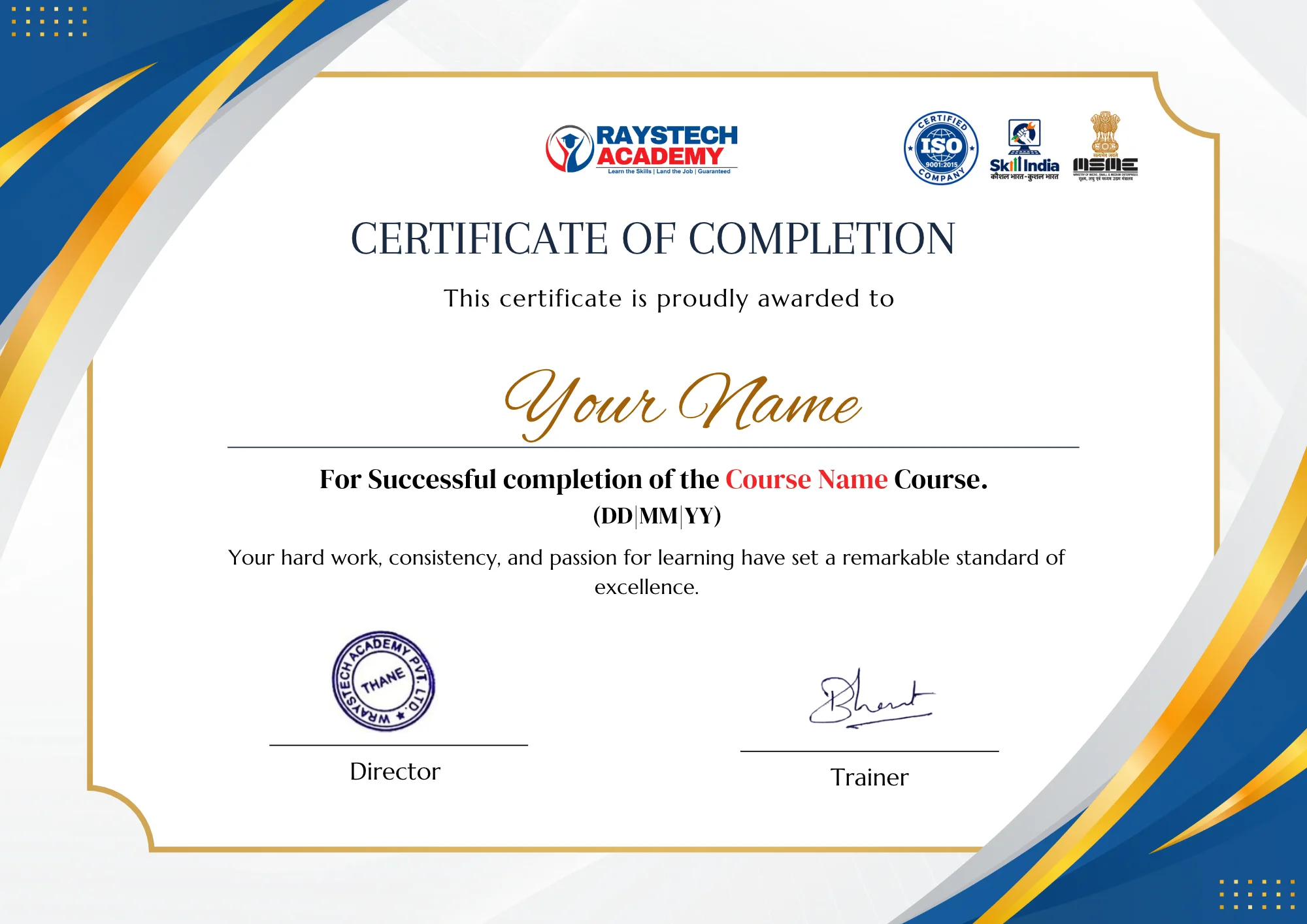
Generative AI Certificate certificate

Beyond the classroom

Career Assistance Program

Soft skill session

Resume building

Aptitude training

LinkedIn profile building

Mock interview

Job assistance

Placement Assistance

Dedicated placement support with industry connections and recruiter interactions.
Dedicated placement cell with job referrals
Resume & LinkedIn profile optimization
Mock interviews with industry experts
Interview call scheduling support
Career counseling until you get placed
Career and placement support for Data Analytics learners
Accenture logoCapgemini logoCognizant logoDeloitte logoHCLTech logoIBM logoInfosys logoWipro logoAccenture logoCapgemini logoCognizant logoDeloitte logoHCLTech logoIBM logoInfosys logoWipro logo

Access your complete learning experience through our all-in-one learning portal.

SkillUpAll-in-one
01Live Mentor Sessions
02AI-Powered Practice
03Progress Tracking
04Career support
One learning hub for your complete career journey

Your next opportunity starts here

Limited seats. High demand. Enroll today.

Students learning through the course programIndustry-ready courseFilling fast

Get industry-ready with Wraystech Academy

  • Enroll for one course and get access to the complete learning journey
  • In-depth curriculum with live mentor support
  • Integrated projects and industry-recognized certifications
  • Practice on real-world cases and career-ready assignments
  • Dedicated placement guidance and interview preparation
Career growth through practical learning

CAREER OUTCOME

Offer letter preview

Congratulations!

Your practical skills, projects, and career preparation can help you approach interviews with clarity and confidence.

Role-ready preparation

Portfolio, interview practice, and mentor feedback.

Career counsellor

READY

A little more clarity

Frequently asked questions

Answers to common questions about learning, projects, and getting started.

What is Generative AI?

Generative AI is a branch of Artificial Intelligence that creates new content such as text, images, videos, audio, and code using AI models.

What will I learn in the Generative AI Course?

You will learn Generative AI fundamentals, prompt engineering, Large Language Models (LLMs), AI content generation, image generation, AI automation, and practical AI applications.

Who can join the Generative AI Course?

Students, freshers, graduates, working professionals, entrepreneurs, and business owners interested in learning AI technologies can join this course.

Do I need programming knowledge to learn Generative AI?

Basic computer knowledge is helpful. Programming knowledge is beneficial for advanced topics, but beginners can start with Generative AI fundamentals and prompt engineering

Which AI tools will I learn during the course?

You will get practical exposure to tools such as ChatGPT, Google Gemini, Microsoft Copilot, Claude, Midjourney, DALL·E, and other AI-powered productivity tools, depending on the course curriculum.

What is Prompt Engineering?

Prompt Engineering is the process of writing effective instructions or prompts to get accurate and useful results from Generative AI tools.

Will I learn how to create AI-generated images and videos?

Yes. You will explore AI-powered tools and techniques for generating images, videos, and creative content.

Will I learn about Large Language Models (LLMs)?

Yes. You will understand LLM fundamentals, how they work, their applications, and how to use them in practical tasks.

Will I get practical training in Generative AI?

Yes. The course includes hands-on exercises, practical assignments, and real-world applications to help you develop practical AI skills.

What projects will I complete during the course?

You can work on practical projects such as: AI-Powered Content Creation AI Image & Creative Generation AI Chatbot Development AI-Powered Workflow Automation

What are the career opportunities after completing the Generative AI Course?

You can explore opportunities in AI content creation, AI-assisted marketing, prompt engineering, chatbot development, AI automation, and other emerging AI-related roles, depending on your skills and experience.

Is Generative AI useful for non-technical professionals?

Yes. Generative AI can help professionals in marketing, business, education, content creation, design, and other fields improve productivity and automate tasks.

Does Raystech Academy provide placement assistance?

Raystech Academy provides career guidance and placement assistance to help students prepare for opportunities in AI and related industries.

Your next chapter starts with a conversation.

Discuss your background, explore the course, and get help choosing a learning plan that fits your goals.

Book a Free Demo